SMS Campaigns Setup
SMS Campaigns Setup connects your store to Twilio, the service that sends and receives your texts. The page starts with a Getting your texting number connected card with a Contact Sales form — UpChannels buys and connects your texting number, so there is nothing to fill in — followed by two steps: Step 1: Verify Configuration and Step 2: Register a Draft Campaign.
The page has no sidebar row. The Get SMS set up buttons on SMS Campaigns and in the campaign builder don't come here — they take you to the SMS Platform Integration Status card with the Contact Sales form open. You also reach this page from Ask UpChannels to set up texting on the SMS/MMS Usage page, from the same button in the Customers page's Send SMS to … window when texting isn't configured, or by typing its address.
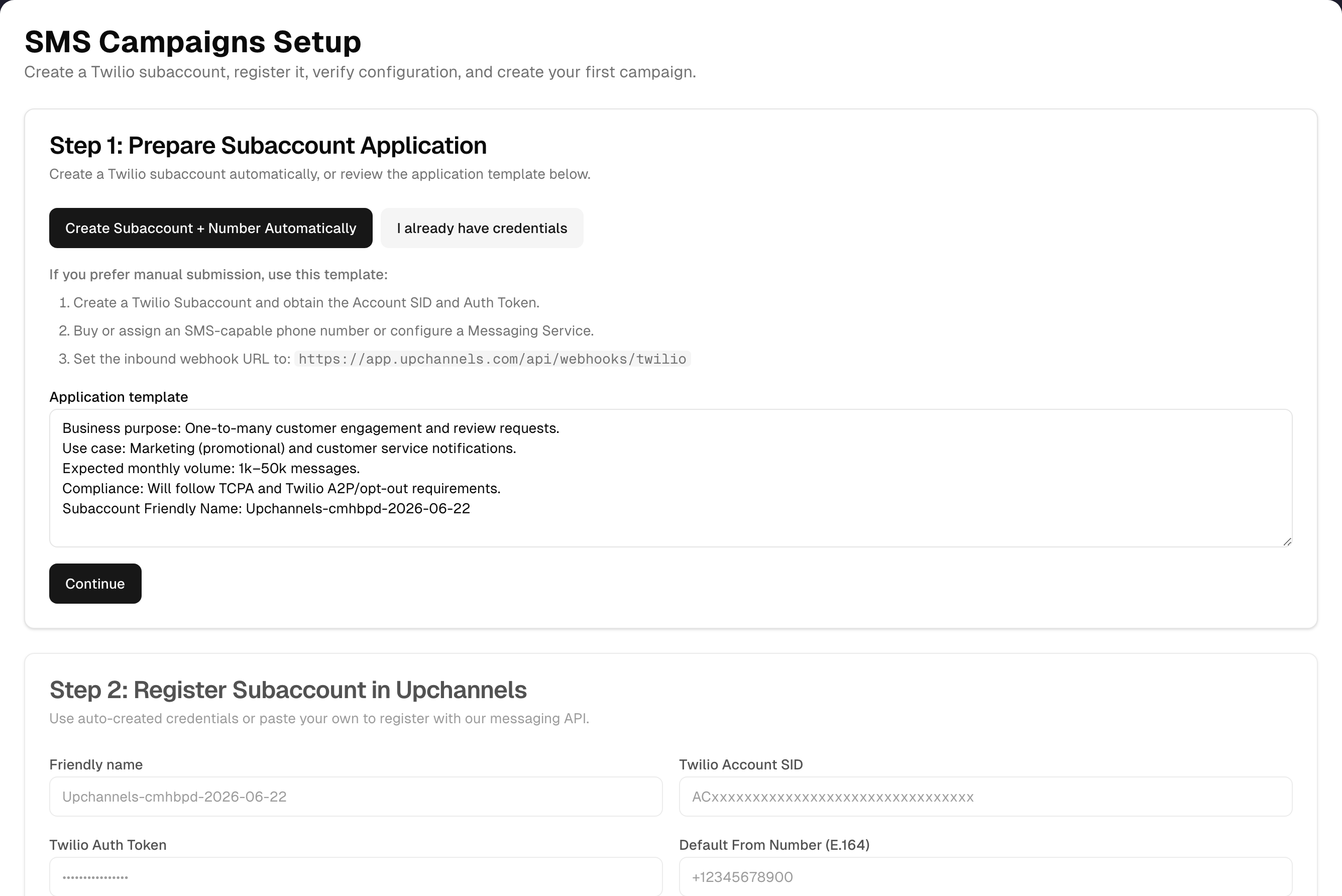
Step by step: get SMS turned on
- Make sure you're on Pro or Premium. A free trial also includes 500 texts; Basic includes none.
- On this page, click Contact Sales in the Getting your texting number connected card, fill in the form and click Submit. (The same form is on SMS Campaigns and Messages while the status badge reads Not setup.)
- UpChannels sets up your texting number and connects it to your store.
- Come back and click Run Verification in Step 1. It should read Configured. Settings → SMS shows the same thing: the SMS Status badge reads Active once the number is connected.
- Optionally create a first draft campaign in Step 2.
Steps in detail
Every button works at any time, so this isn't a locked wizard. The current step's card is shown at full strength and the other is dimmed. The highlight moves to Step 2 when you click Continue, or when Run Verification reads Configured.
Getting your texting number connected
- Explains that texting runs on a number UpChannels buys and connects, so there is nothing to fill in here.
- Contact Sales opens the same form as the SMS Campaigns and Messages pages: company, location, your name, phone, email, what you're trying to do and any previous vendor, then Submit.
Step 1 — Verify Configuration
- Run Verification asks Twilio three questions and lists the answers under the button:
- Twilio account and auth token work — Twilio still accepts the saved account and token.
- Sending number can send texts — the saved number really is on that Twilio account and is text-capable.
- Incoming texts point at UpChannels — the number, or any Messaging Service it belongs to, sends incoming texts to the Expected inbound webhook address shown on the card, which is what makes customer replies reach Messages.
- Configured appears only when all three pass, and only then does the page move on. When a check answers plainly that something is missing you get Not configured and a red message naming the first problem; when a check cannot be completed at all you get a grey Couldn't check instead, so a connection that could not be reached is never read as a connection that is wrong. Either way every answer stays on screen, with the address found instead of the one expected where they differ.
- No test text is sent. That would cost money, use up your allowance and text a real person.
Step 2 — Register a Draft Campaign
- Campaign name (pre-filled "Welcome SMS Campaign") and Description, then Create Draft Campaign. This saves a Draft SMS campaign with no audience yet, set to send immediately once you launch it. Your store's saved texting number is the sender. You land on the SMS Campaigns list, where the draft is under the Draft tab. This works even if SMS isn't configured yet.
- Open Advanced Creator opens the full campaign builder. Nothing from this card is carried over.
Checking your usage and credits
Open Settings → SMS (the SMS Messaging section). It has two cards. Settings itself opens for the owner and for the store's only active member — but buying credits or changing the plan on this card is a separate rule: only the owner can.
SMS Status card
| Part | What it tells you |
|---|---|
| Active / Not set up badge | Whether the Twilio connection is complete (account, auth token and a sending number). It doesn't show whether your plan includes SMS |
| Four ticks: Twilio account connected, Auth token set, Sending number, Messaging service | Green tick or red cross for each piece. The sending number is shown next to its row |
| Plan and allowance | For example "Pro plan", "500 base + 2,000 credits = 2,500 / cycle", used / total, how many remain, and a coloured bar |
| Resets … (next billing date) | When the allowance refills |
| Buy … credits — $…/… | Adds a credit add-on to your subscription. See below |
| Manage plan / Upgrade plan | Opens Plan & Billing |
| Detailed usage | Opens the SMS/MMS Usage Statistics page for the current month |
The Usage ledger card lists your monthly refills, credit purchases and the texts that count against the allowance, newest first — including replies typed in the Messages inbox.
How much you can send
| Plan | Outbound texts per billing cycle |
|---|---|
| Basic | None: SMS isn't included |
| Pro | 500 |
| Premium | 2,000 |
| Free trial | 500. If you've already chosen a paid plan during the trial, that plan's allowance applies |
- Only outbound SMS and MMS count. Incoming texts are free.
- Replies typed in the Messages inbox count too. See What counts against your allowance below.
- Each credit add-on you buy adds its credits (for example 2,000) on top, every cycle.
- The allowance resets on your next billing date, not on the 1st of the month. On a free trial with no paid plan chosen yet there's no billing date, so the count runs from the 1st of the month.
- Once it's used up, sending is blocked with "Monthly SMS limit reached (…)" until you buy credits, upgrade, or the reset date arrives. That includes replies in the Messages inbox.
- Buying credits asks you to confirm first. Add SMS credits? names the pack, the price and the billing period, and says the charge repeats every cycle until you remove the credits in Plan & Billing. Nothing is charged until you click Add credits; Cancel leaves everything as it was. One pack per confirmation. You need a paid subscription: on a trial without one the purchase fails with "No subscription found for your organization". If your subscription is set to end at the end of the cycle, the confirmation says so, buying credits does not keep the plan running, and the credits end with the plan.
Detailed usage opens the usage page for the current month. Pick another month there (the current month and the 11 before it):
| What it shows | Detail |
|---|---|
| Monthly Quota - … Plan | Used / limit, remaining and % used. Only on plans that include SMS. The current month uses the same count UpChannels enforces. Past months compare Twilio's outbound total for that month with today's limit, and say so under the bar |
| SMS Breakdown / MMS Breakdown | Total, out and in for the month, from Twilio. Inbound is free |
| Conversations | Twilio Conversations usage, which doesn't count against the quota |
| Phone Numbers | Every number on the account, its capabilities and a Default badge on the sending number |
| Daily Usage Trend | The month, day by day, for SMS and MMS in and out |
| All Usage Categories | Every Twilio usage category with activity, with a count. Zero-usage categories are behind a Show … categories with zero usage toggle |
| Account Information | Masked Account SID, account name, status, Default From number and any Messaging Services |
What counts against your allowance
These texts are checked against the allowance before they go out, and counted once they have:
- SMS campaigns, including review-request campaigns.
- Send on a customer's row in Customers (the Send SMS to … window).
- An order's Send SMS Follow-up, Send Invoice via SMS and Customer portal link windows.
- A scheduled job's Send SMS window, and the schedule map's Send Route via SMS.
- Dispatch texts to staff, and delivery driver links.
- Customer-portal, review and delivery notifications, and staff schedule texts.
- Replies typed in the Messages inbox, and on a single conversation page.
Incoming texts are free and never counted. The SMS and MMS Breakdown cards on the usage page can still show more than the "… / …" figure in Settings → SMS: they come from your texting service, count the whole calendar month rather than the billing cycle, and include incoming texts.
Tips & best practices
- Contact Sales on this page is the whole of your setup: UpChannels connects the number for you.
- If customer replies don't reach your Messages inbox, run Run Verification: the third answer, Incoming texts point at UpChannels, is exactly that check.
- Watch the bar on the SMS Status card. It turns amber at 80% and red at 100%. Buy credits before a big campaign rather than mid-send.
Troubleshooting
| Issue | Fix |
|---|---|
| The check shows Not configured | Read the three answers under the button: they name which part failed. Ask UpChannels support, quoting the failing line |
| "Twilio rejected the saved auth token…" | The token was changed or revoked in Twilio. UpChannels needs to register the connection again |
| "The saved number is not on this Twilio account." / "This number cannot send text messages." | The saved sending number was released, moved, or is voice-only. Ask UpChannels support for a text-capable number |
| "…does not send incoming texts to UpChannels, so customer replies will not arrive." | Twilio is pointing that number somewhere else. The line shows the address found and the one expected; send both to UpChannels support |
| Settings → SMS says Not set up but my plan includes SMS | The badge is about the Twilio connection, not your plan. Use Contact Sales |
| "Your plan doesn’t include SMS…" | Click Upgrade plan and move to Pro or Premium. Credits can't unlock SMS on Basic |
| "Monthly SMS limit reached (…)" when sending | Buy credits in Settings → SMS, upgrade, or wait for the reset date |
| "Purchase failed" / "No subscription found for your organization" | Choose a paid plan in Plan & Billing first |
| The usage page shows "Texting isn't set up for this store yet" | No texting connection is saved for the store. Use Contact Sales |
| The usage page and Settings → SMS show different numbers | Settings counts the texts UpChannels checks against the allowance this billing cycle. The usage page's breakdown cards and chart show your texting service's figures for the calendar month, which also include incoming texts |
What's next
- Build and send a campaign: Growth → SMS Campaigns
- Handle replies: Growth → Messages
- Target the right people: Growth → Customers
- Change plan or add-ons: Settings → Plan & Billing
- Everything else in Settings: Settings
Detailed reference
Every button, icon, field and message on this page, for when you need the exact detail. Each panel starts closed — open the one you need.
Page header and toolbar
| Control | Where | What it does | Notes |
|---|---|---|---|
| Title SMS Campaigns Setup + "Check that your texting number is connected, and create your first campaign." | Header, left | Static heading | Always shown. The page has no plan check and no demo. It sits under the SMS Campaigns address and has no menu item of its own, so it belongs to SMS Campaigns: someone that item is hidden from sees "403 - Forbidden" here instead, and the SMS Campaigns List, New SMS Marketing Campaign and New Review Boost Campaign cards go from their Shortcuts page. Shortcuts has no card for this page to take away |
| Back to Campaigns (outline button) | Header, right | Opens the SMS Campaigns list | Always enabled. Nothing typed on this page is saved when you leave |
| Step highlight | The step cards | The current step's card is at full strength and the other is dimmed | Starts on Step 1. Nothing is disabled by step order: every card's buttons work at any time. Continue, or a Configured result, moves it to Step 2 |
| "Loading…" card | Whole page | Placeholder while the page checks your sign-in | The cards appear once it has |
| Way in: Ask UpChannels to set up texting | SMS/MMS Usage Statistics page, "Texting isn't set up for this store yet" card | Opens this page | Shown when the store has no saved texting account and token |
| Way in: Ask UpChannels to set up texting | Customers → Send SMS to … window, "SMS Not Configured" overlay (lock icon, "Please configure your SMS integration in settings to send messages.") | Opens this page | Shown when the plan includes SMS but the store's connection isn't configured |
| Way in: page address | Browser | Opens this page | No sidebar row. SMS Campaigns and Messages don't link here: they show Contact Sales instead |
| Store lookup (automatic) | On load | Finds the store you're signed into | If it fails, the draft-campaign step shows "Missing org" |
Getting your texting number connected
| Control | Where | What it does | Notes |
|---|---|---|---|
| Card title Getting your texting number connected + "The UpChannels team sets this part up for you." | First card | Static | Always shown, first on the page |
| "Texting runs on a phone number UpChannels buys and connects for your store, so there is nothing to fill in here. Ask for it with the form below and we will set it up. Then come back and run the check underneath: it reads Configured once the number is connected." | Card body | Explains who does what | — |
| Contact Sales | Card body | Opens the Contact Sales form in the card | The same form as on SMS Campaigns and Messages: company name, business location, your name, phone, email, what you're trying to do, previous vendor, then Submit. Close puts the button back |
Step 1: Verify Configuration
| Control | Where | What it does | Notes |
|---|---|---|---|
| Card title Step 1: Verify Configuration + "Checks the Twilio account, the sending number and where incoming texts go. No test text is sent." | Step 1 card header | Static | Dimmed unless Step 1 is current |
| Run Verification (main button) | Step 1 card | Asks Twilio three questions about the store's saved connection and lists the answers under the button. All three pass: Configured, the message "Verified" / "The Twilio account, the sending number and incoming texts all check out.", and the highlight moves on. Any of them fails: Not configured and a red "Not configured" message naming the first problem — the highlight does not move. Nothing failed but a question could not be put to Twilio: a grey Couldn’t check and a plain "Couldn’t check" message instead, with the highlight where it was, because nothing is known to be wrong | Disabled while working. Sends no test text, ever. Anyone signed into the store can run it. Fails with "Verification error" when signed out or with no store |
| Result Configured (green) / Couldn’t check (grey) / Not configured (red) | Step 1 card, right of the button | Outcome of the last check: Configured only when all three answers pass, Couldn’t check when none failed but at least one could not be run, Not configured when one really failed | Hidden until Run Verification has run once |
| The three answers | Step 1 card, under the button | Twilio account and auth token work / Sending number can send texts / Incoming texts point at UpChannels, each with ✓ (passed), ✕ (failed) or – (not checked) and a sentence. Where an address differs, the line adds "Expected … , found …" | Shown after a check. A failed account and token stops the other two, which then read "Not checked: the Twilio account could not be read." The number is looked up in the same shape sending uses, so a number saved with brackets or spaces is still found, and incoming texts count as pointing here through any Messaging Service the number is in — including one that was never saved with the connection |
| "Expected inbound webhook: …/api/webhooks/twilio" | Step 1 card, under the answers | The address Twilio must send incoming texts to so customer replies reach Messages | After a check, and only when the app's public address is set |
| Continue (secondary button) | Step 1 card, bottom | Moves the highlight to Step 2 without checking | Never disabled |
Step 2: Register a Draft Campaign
Card title Step 2: Register a Draft Campaign + "Create your first draft campaign for this account." Dimmed unless Step 2 is current.
Fields:
| Field | Required | Default | Rules and error text |
|---|---|---|---|
| Campaign name | No | "Welcome SMS Campaign". Placeholder "Fall Promo 2025" | Not validated: an empty name is saved as-is |
| Description (3 lines) | No | "Kick off your SMS marketing with a welcome message." Placeholder "What is this campaign about?" | Blank saves no description |
Buttons:
| Control | Where | What it does | Notes |
|---|---|---|---|
| Create Draft Campaign (main button) | Step 2 card, bottom | Saves an SMS campaign with status Draft, set to send immediately once launched, with no audience chosen. Its sender is the texting number saved for your store. Message "Campaign created" / "Your draft SMS campaign is ready." then opens the SMS Campaigns list, where it's under the Draft tab | Disabled while working. Doesn't check that SMS is configured. The campaign is always filed in the store you are signed in to. No store found: "Missing org" / "No organization found." An empty name: "A campaign needs a name." Save failure: "Campaign error" with the reason (default "Failed to create campaign.") |
| Open Advanced Creator (secondary button) | Step 2 card, bottom | Opens the full campaign builder | Never disabled. Nothing from this card is carried over. See SMS Campaigns |
Dialog: Contact Sales form (SMS Campaigns and Messages pages)
This is how a store owner gets SMS connected. It opens inline on the SMS Campaigns page's "SMS Platform Integration Status" card and on the Messages page. It only appears while the status reads Not setup and the page isn't locked by your plan.
Fields:
| Field | Required | Default | Rules and error text |
|---|---|---|---|
| Company Name | Yes | Your store's name. Placeholder "Your company name" | Browser "required" check |
| Business Location | Yes | Empty. Hint "City, State or full address". Placeholder "e.g., San Francisco, CA" | Browser "required" check |
| Your Name | Yes | Your name from your account. Placeholder "Your full name" | Browser "required" check |
| Phone Number | Yes | Your mobile or business phone. Placeholder "+1 (555) 123-4567" | Digits with spaces, dashes, brackets, dots and a plus sign in front only, and 7 to 20 digits. Otherwise "Please provide a valid phone number. Digits and + ( ) - . only, and no extension." shows under the box and nothing is sent |
| Yes | Your sign-in email. Placeholder "you@company.com" | Browser checks it's filled in and looks like an email address | |
| Business Challenges & Goals (4 lines) | Yes | Empty. Placeholder "Tell us about your business challenges and what you're hoping to achieve..." | Browser "required" check. Your username is added to the message automatically |
| Previous Vendor | Yes | Empty. Placeholder "What software/vendor are you currently using?" | Browser "required" check |
Buttons:
| Control | Where | What it does | Notes |
|---|---|---|---|
| Contact Sales | Status card | Opens the form in place of the button. Heading "Contact Sales", subtitle "Interested in SMS campaigns? Fill out the form and we'll get back to you." (Messages: "Interested in SMS messaging? Fill out the form and we'll get back to you.") | Only while the status is Not setup. On Messages it sits under "How to Enable SMS features" |
| Submit (full width) | Form, bottom | Sends the request to UpChannels. Reads "Submitting..." while sending, with the button and fields greyed out. Success: "Thank you!" / "We've received your message and will get back to you shortly.", a line saying whether a copy was emailed to you ("A copy has been sent to …", or "No confirmation email was sent …" — a copy goes only to the email you sign in with, once a day), and the form is cleared | On failure a red box above the button shows the reason, or "Something went wrong. Please try again." What you typed stays |
| Close Form | Above the form, right | Closes the form without sending. Contact Sales shows again | What you typed is discarded. Reopening starts again with your account details filled in |
| Close | Success message | Closes the thank-you message. Contact Sales shows again | — |
Sub-page: Settings → SMS (SMS Status card)
| Control | Where | What it does | Notes |
|---|---|---|---|
| SMS (message icon) | Settings left rail (a strip on small screens), between Bank Connections and Customer Portal | Opens the SMS section | Settings opens for the owner or the store's only active member; everyone else is sent to Shortcuts. Getting in is not the same as being able to save: see Buy … credits below. Links can open it directly with /settings?tab=sms |
| Heading SMS Messaging + "Messaging setup, monthly quota, and usage history" | Top of the SMS section | Static | — |
| Stand-alone page SMS Messaging + "Your messaging setup, monthly quota, and usage history." | Address ending /settings/sms | The same two cards on their own page | Nothing in the app links to it. It sits inside Settings, so the same people get in — the owner or the store's only active member. It has no menu item of its own and belongs to none, so hiding a menu item never closes it |
| Spinner | Card area | Shown while the status loads | First load |
| "Could not load SMS status." | Card area | Replaces the card when the status can't be read | No retry button: reload the page |
| Card title SMS Status (message icon) | Card header | Static | — |
| Badge Active (green) / Not set up (red) | Card header, after the title | Active = saved Twilio account + auth token + a sending number (the Default From number, or the store's main texting number), or a Twilio Conversations service | Doesn't reflect your plan. The plan is shown in the box below |
| Detailed usage (right chevron) | Card header, right | Opens SMS/MMS Usage Statistics for the current month, in the same tab | Always shown |
| Twilio account connected (green tick / red cross) | Card body | Green when an Account SID is saved | Read-only |
| Auth token set | Card body | Green when an Auth Token is saved | Read-only |
| Sending number + the number | Card body | Green and shows the number when a sending number is saved | Shown as stored, for example +14085551234 |
| Messaging service | Card body | Green when a Twilio Messaging Service is saved | Not needed for Active |
| "… plan" (for example "Pro plan" or "Premium plan") | Quota box, top left | The plan your allowance is based on | A free trial shows "Pro plan" (500). If a paid plan was already chosen during the trial, that plan applies |
| "… base + … credits = … / cycle" | Quota box, under the plan | How the allowance adds up: plan allowance plus purchased credits | "+ … credits" only appears once credits have been bought |
| "… / …" and "… remaining" | Quota box, right | Outbound messages used this billing cycle against the allowance | Counts every text listed under What counts against your allowance, replies in the Messages inbox included. Incoming texts are free and not counted |
| Usage bar | Quota box | Used against allowance | Green under 80%, amber 80–99%, red at 100% or more |
| "Resets … (next billing date)" | Quota box, bottom | When the allowance refills | Only when the billing date is known. Without one, usage is counted from the 1st of the month |
| "Your plan doesn’t include SMS. Upgrade to Pro or Premium to send messages." | Quota box, instead of the meter | Shown when the store has no SMS allowance | Basic, no subscription, an inactive or past-due subscription, or an expired trial |
| Buy … credits — $…/… (green button, for example "Buy 2,000 credits — $99/month") | Quota box, button row | Opens the Add SMS credits? confirmation. Confirming adds one pack of the recurring credit add-on to your subscription, prorated for the rest of the cycle, then renewed every billing cycle. Reads "Adding…" while working. Success: "Credits added" / "… messages added to your quota." and the card refreshes. A "Credits purchased" row appears in the Usage ledger | Nothing is charged until you confirm, so a second click on this button only reopens the same question. One pack per confirmation. Greyed out while adding. Only shown when the plan includes SMS and the add-on is on sale (also on a free trial, where it fails until a paid plan is chosen). The price part is left off when the price isn't known. Opening Settings → SMS is not enough on its own: the button is shown only to the owner; the store's only active person, who has no owner to ask, sees "Only the store owner can make this change. Contact UpChannels support if this store has no owner." in its place, and everyone else sees "Only the store owner can change billing. Ask your owner to make this change." Errors are listed under Messages you may see |
| Manage plan / Upgrade plan (outline link) | Quota box, button row | Opens Plan & Billing | "Upgrade plan" when there's no SMS allowance, otherwise "Manage plan". Shown to the same people as Buy … credits: the owner |
| "Only the store owner can change billing. Ask your owner to make this change." | Quota box, instead of the buttons | Says who can buy credits or change the plan | When UpChannels wouldn't accept a billing change from you, for example if your owner access was removed |
Sub-page: Settings → SMS (Usage ledger card)
| Control | Where | What it does | Notes |
|---|---|---|---|
| Card title Usage ledger + "Monthly allowance refills, add-on purchases, and every message sent." | Below SMS Status | Static | Every text counted against the allowance is listed, replies typed in the Messages inbox included. Incoming texts are free and never listed |
| "Loading usage…" (spinner) | Card body | While loading | — |
| "No SMS usage on this account yet." | Card body | Empty state | Only when the ledger was read and really is empty |
| "The usage ledger couldn't be read." + the reason, "This is not the same as having sent nothing." and Try again | Card body | Shown when the ledger could not be read | The second line is whatever the store's records answered, so support has something to go on. Try again reads it again |
| "This account isn't attached to a store yet, so there is no usage to show." | Card body | Shown when the signed-in account belongs to no store | Nothing is read while that is true |
| Column Date | Table | When the entry happened (date and time, in your store's date format) | Newest first. A "Monthly allowance" row is dated at the start of the billing cycle |
| Column Type (badge) | Table | "Monthly allowance" (cycle refill), "Credits purchased" (add-on), or for texts sent: "Campaign", "Message" (a one-off text from a customer's row on Customers, from an order's Send Invoice via SMS or Customer portal link window, from the schedule's Send Route via SMS, or a reply typed in the Messages inbox or on a single conversation page), "Order text" (an order's Send SMS Follow-up), "Job text" (a scheduled job's Send SMS), "Dispatch link", otherwise "Sent" (customer-portal, review and delivery notifications, driver links, staff schedule texts) | Credits in a green outline, sends in grey |
| Column Change | Table | "+…" (green) for allowance and credits, "−…" for messages sent | There is no running balance column |
| Column Detail | Table | "Billing cycle refill"; "… × add-on"; the campaign's name (or "Campaign"); "… recipient(s)" for dispatch links; otherwise "—" | — |
| Previous / Next | Under the table | Pages through the ledger, 15 entries per page | Only when there are more than 15 entries. Greyed out on the first or last page |
| "Page … of … • … entries" | Under the page buttons | Position and total | Only when there's more than one page |
| When "Monthly allowance" appears | — | Added the first time someone from the store opens Settings → SMS (or buys credits) in a new billing cycle | Display only: it doesn't change what is enforced. Only added when there's a billing date, so not on a free trial with no paid plan chosen |
Sub-page: SMS/MMS Usage Statistics (header and toolbar)
| Control | Where | What it does | Notes |
|---|---|---|---|
| Title SMS/MMS Usage Statistics + "Detailed messaging usage for …" (month and year) | Header | Names the month shown | While loading or on error: "Detailed messaging usage and analytics" |
| SMS settings (back arrow) | Header, right | Opens Settings with the SMS section open | Shown in every state, including loading and error. The page has no sidebar row, so this is the way back to Settings. Most team members are sent on to Shortcuts, because Settings opens only for the owner or the store's only active member |
| Month picker (calendar icon, placeholder "Select month") | Toolbar, left | Chooses the month: the current month labelled "… (Current)" plus the 11 months before it. Changing it reloads the page | Default is the current month (1st to today). A past month covers the whole calendar month. This toolbar (month picker, Refresh, Messages, SMS Campaigns) only appears once usage has loaded, not on the "Texting isn't set up for this store yet" or error cards |
| Refresh (circular arrows) | Toolbar, next to the month | Reloads the month from Twilio and the allowance | Disabled while refreshing. The icon spins |
| Messages | Toolbar, right | Opens the Messages inbox | — |
| SMS Campaigns | Toolbar, right | Opens the SMS Campaigns list | — |
| How you get here | — | Detailed usage on the Settings → SMS Status card, or the page address | This page opens for exactly the people Settings opens for: the owner or the store's only active member. Anyone else is sent to Shortcuts, and typing the address changes nothing — the figures themselves are refused with "Only the store owner can see the texting usage details. Ask your owner to open this page." It also sits under the Dashboard address, so someone the Dashboard menu item is hidden from sees "403 - Forbidden" here instead. Shortcuts has no card for this page |
Sub-page: SMS/MMS Usage Statistics (cards)
| Control | Where | What it does | Notes |
|---|---|---|---|
| Loading placeholders | Body | Grey boxes while loading | First load and month change. Refresh doesn't show them |
| "Texting isn't set up for this store yet" / "Once texting is connected, this page shows every message this store has sent and received." + Ask UpChannels to set up texting | Body, replaces everything | The button opens SMS Campaigns Setup, where the Contact Sales card is | When the store has no saved texting account and token. It is this store's texting connection that is missing, not UpChannels |
| Error card: the error as its heading + "Unable to load usage data. Please try again." + Retry | Body, replaces everything | Retry reloads the selected month | Error texts are listed under Messages you may see |
| Monthly Quota - … Plan + "Outbound SMS + MMS (inbound messages are free)", "… / …", "… remaining", bar, "…% used" | Top of body | The allowance for the chosen month | Only on plans that include SMS. Current month: the count UpChannels enforces for this billing cycle. Past month: Twilio's outbound total for that calendar month against today's limit, with the caption "Past months are compared with your current plan limit (…, … a cycle)." under the bar — the allowance you had back then isn't kept. Teal under 75%, orange 75–89%, red at 90% or more. Red border and warning icon only when usage is over the limit |
| SMS Breakdown: total, "… out", "… in" | Row of three cards | Twilio's SMS count for the month | Includes incoming texts, which are free |
| MMS Breakdown: total, "… out", "… in" | Row of three cards | Twilio's MMS count for the month | — |
| Conversations: count + "Does not count against quota" | Row of three cards | Twilio Conversations usage for the month | Never counts toward the allowance |
| Phone Numbers + "Texting numbers set up for this store"; columns Phone Number, Friendly Name, Capabilities, Status, Created | Body | Every number on the Twilio account, formatted like "+1 (408) 555-1234". Default badge on the sending number. Capabilities show SMS, MMS and Voice badges | "-" when there's no friendly name. Status is the number's real state: green Active for a number in use, otherwise the word the phone provider gave (for example Pending or Suspended) in a plain badge, and Unknown when it reported none. Empty: "No phone numbers found" |
| Daily Usage Trend + "Message volume breakdown by day for …" | Body | Stacked chart of "SMS Out", "SMS In", "MMS Out", "MMS In" per day, with a legend | Hover a day to see its four counts. Every day is plotted, so a month with traffic on only some days shows a flat line at zero on the rest. A month with no traffic at all shows "No usage data available for this period" instead of the chart |
| All Usage Categories + "Every texting usage record for …"; columns Category, Description, Count | Body | Every Twilio usage category with activity this month, busiest first. MMS, media and Conversations categories carry a Media badge | Twilio's own category codes. Prices aren't shown. Empty: "No usage records for this period" |
| Show … categories with zero usage / Hide … categories with zero usage | Bottom of All Usage Categories | Opens or closes a dimmed list of categories with no usage | Only when there are some. Closed by default |
| Account Information + "Texting account details and setup": Account SID (first 6 and last 4 characters), Account Name, Status, Default From Number | Body, bottom | The Twilio account's details | "-" with no name, "Unknown" when the status can't be read, "Not set" with no Default From number. No created date is shown |
| Messaging Services list: name, ID, "Created …" | Inside Account Information | Twilio Messaging Services on the account | Only when there's at least one |
Messages you may see
| Message | When it appears | What to do |
|---|---|---|
| "Verified" / "The Twilio account, the sending number and incoming texts all check out." | All three checks passed | Nothing to do: texting is connected |
| "Not configured" + the first failing answer, for example "Twilio rejected the saved auth token. It has been changed or revoked; register the connection again." | At least one check failed. The page stays on this step | Read all three answers under the button and send the failing one to UpChannels support |
| "Not configured" + "No Twilio account is saved for this store." | The store has no saved Twilio connection at all | Use Contact Sales |
| "Couldn't check" / "Twilio could not be reached just now. Try the check again." (– instead of ✓ or ✕) | Twilio didn't answer. Nothing is known either way, so this is not reported as a fault | Run the check again |
| Configured (green) | All three checks passed: Twilio accepted the account and token, the saved sending number is on that account and can send texts, and incoming texts point at UpChannels — directly or through a Messaging Service | Go to the next step or start sending |
| Not configured (red) | At least one of the three checks failed. The failing answer says what to do | Fix the one that failed and run the check again |
| Couldn't check (grey) | Nothing failed, but at least one check couldn't be run — usually Twilio not answering | Run the check again in a moment. Nothing is known to be wrong |
| "Expected inbound webhook: …/api/webhooks/twilio" | Step 1 after a check | If Incoming texts point at UpChannels failed, send this address and the one found to UpChannels support: until they match, replies won't reach Messages |
| "Verification error" / "Could not check the connection" | The check itself couldn't run — signed out, or no store on your sign-in | Sign in again |
| "Missing org" / "No organization found." | Step 2 when the store can't be found | Reload, or sign in again |
| "Campaign created" / "Your draft SMS campaign is ready." | Step 2 worked; the SMS Campaigns list opens | Find it under Draft and open it to finish and send |
| "Campaign error" / the reason (default "Failed to create campaign.") | Step 2 save failed, including "A campaign needs a name." | Type a name, or try again |
| "Thank you!" / "We've received your message and will get back to you shortly." / "A copy has been sent to …" or "No confirmation email was sent …" | Contact Sales form sent (SMS Campaigns or Messages page). The last line says whether a copy was emailed to the address you sign in with | Wait for UpChannels to get in touch and connect your number |
| "Something went wrong. Please try again." (or the reason) | Contact Sales form failed to send | Click Submit again. What you typed is kept |
| "Loading..." then "Redirecting..." | Someone who may not open Settings opens it (they're sent to Shortcuts) | Settings opens only for the owner or the store's only active member |
| "Could not load SMS status." | The SMS Status card failed to load | Reload the page |
| Active / Not set up badge | SMS Status card header | Not set up: click Contact Sales on SMS Campaigns or Messages |
| "Your plan doesn’t include SMS. Upgrade to Pro or Premium to send messages." | SMS Status card with no SMS allowance | Upgrade plan |
| "Resets … (next billing date)" | SMS Status card | The allowance refills that day |
| Add SMS credits? — "… extra messages a …, for $…/…", "This adds a recurring charge to your subscription. You are charged now for the rest of this billing cycle, and again every cycle until you remove the credits in Plan & Billing." with Cancel and Add credits | You clicked Buy … credits | Read it, then Add credits to buy, or Cancel to leave everything as it is |
| "Your plan already includes … bought credits. This adds another pack on top." | The same confirmation, when credits are already on your subscription | Only confirm if you want a second pack |
| "Your plan is still set to end on …. These credits end with it, and buying them does not keep the plan running." | The same confirmation, when a cancellation is already scheduled | To keep the plan, undo the cancellation in Plan & Billing first |
| "Adding…" | While a credit purchase runs | Wait |
| "Credits added" / "… messages added to your quota." | Credit purchase worked | The new total shows straight away |
| "Purchase failed" / "No subscription found for your organization" | Buying credits with no paid subscription, for example on a free trial | Choose a paid plan in Plan & Billing first |
| "Purchase failed" / "Upgrade to Pro or Premium before adding SMS credits." | Buying credits on a plan without SMS | Upgrade first. Credits never unlock SMS on Basic |
| "Purchase failed" / "The messaging credit add-on is not available." | The add-on isn't on sale | Contact support |
| "Purchase failed" / a card or payment error, "Could not add credits. Please try again.", "Please try again.", "Unauthorized" or "No organization associated with this account" | Other purchase failures | Update your card in Plan & Billing, or sign in again |
| "Only the store owner can change billing. Ask your owner to make this change." | Settings → SMS in place of Buy … credits and Manage plan, for someone UpChannels wouldn't accept a billing change from | Ask the owner |
| "Only the store owner can make this change. Contact UpChannels support if this store has no owner." | The same refusal, worded for the store's only active person: there is no owner in the store to ask | Contact UpChannels support |
| "Purchase failed" / "Only the store owner can change billing. Ask your owner to make this change." | Buying credits when you're not the store's owner (for example your owner role was removed while the page was open) | Ask the owner |
| "Loading usage…" / "No SMS usage on this account yet." | Usage ledger | Nothing has been sent yet. A ledger that could not be read says so instead (next row) |
| "The usage ledger couldn't be read." + the reason + "This is not the same as having sent nothing." | Usage ledger, when the entries could not be read | Click Try again. Quote the second line to support if it keeps happening |
| "This account isn't attached to a store yet, so there is no usage to show." | Usage ledger, for an account with no store | Ask your owner to add you to the store |
| "Texting isn't set up for this store yet" / "Once texting is connected, this page shows every message this store has sent and received." | Usage page with no saved texting account and token | Click Ask UpChannels to set up texting and use the Contact Sales form there |
| "Only the store owner can see the texting usage details. Ask your owner to open this page." | Usage page, for someone Settings would not open for | Ask your owner. The page itself also sends you to Shortcuts |
| "Unable to determine organization", "Unauthorized", "No organization associated with this account", "organizationId does not match your organization", "Failed to fetch detailed SMS usage", "Failed to load SMS usage data" or "Failed to fetch usage data", with "Unable to load usage data. Please try again." | Usage page failed to load | Click Retry. Sign in again if it persists |
| "No phone numbers found" / "No usage data available for this period" / "No usage records for this period" | Usage page empty states. The middle one replaces the Daily Usage Trend chart when nothing at all was sent or received that month | Nothing to show for that part of the month |
| "Not set" / "Unknown" | Usage page Account Information: no Default From number, or unreadable Twilio status | Not set: sending needs a Default From number, so contact support |
| "Monthly SMS limit reached (…/…). Upgrade your plan or wait for the next billing cycle to send more." | A text sent once the allowance is used up: campaigns, a customer text from Customers, order, invoice, portal-link, job and route texts, dispatch, driver links, portal, review, delivery and staff schedule texts, and replies in the Messages inbox | Buy credits in Settings → SMS, upgrade, or wait for the reset date |
| "Your plan does not include SMS. Upgrade to Pro or Premium to send messages." | Sending on Basic | Upgrade |
| "Your subscription is inactive or your trial has expired. Update billing to send SMS." | Sending with an expired trial or inactive subscription | Fix billing in Plan & Billing |
| "No active subscription. Subscribe to Pro or Premium to send SMS." | Sending with no subscription on record | Subscribe |
Who can use what
| Who | Setup page | Settings → SMS | Usage page |
|---|---|---|---|
| Store owner | Sees the Getting your texting number connected card with Contact Sales, then Step 1: Verify Configuration and Step 2: Register a Draft Campaign | Full access, including Buy credits and Manage plan / Upgrade plan | Full access |
| Other team members | The same two steps and the same Contact Sales card. Can open it by its address (it has no menu item of its own). If the owner has hidden SMS Campaigns from that person's menu, this page is hidden with it and shows "403 - Forbidden" instead | No access for most team members: they see "Redirecting..." and land on Shortcuts. The store's only active member can open it (people switched off or removed in Team don't count), but Buy … credits and Manage plan are replaced there by "Only the store owner can make this change. Contact UpChannels support if this store has no owner." | The same people as Settings → SMS: most team members are sent to Shortcuts, even by typing the address, and the figures are refused with "Only the store owner can see the texting usage details. Ask your owner to open this page." The store's only active member can open it. It belongs to the Dashboard menu item, so someone Dashboard is hidden from sees "403 - Forbidden" instead |
| Expired trial or inactive subscription | The whole app sends you to Plan & Billing | Same | Same |
Plans: none of these pages is locked by plan on screen. Sending is, every way of sending included. The allowance is Basic none, Pro 500, Premium 2,000 and free trial 500 per billing cycle, plus any credits bought. Team members and their access are managed in Settings → Team.
No one signed in to a store — owner included — can add, change or remove the store's texting numbers or its Twilio connection. To have them changed, contact UpChannels support.
Common questions
How do I get a texting number connected? Click Contact Sales in the Getting your texting number connected card and send the form: UpChannels buys the number and connects it to your store. Then come back and click Run Verification in Step 1 — it reads Configured once the number is connected.
What does Run Verification actually check? Three things, live with Twilio: that the saved account and auth token are still accepted, that the saved sending number is on that account and can send texts, and that the number (or its Messaging Service) sends incoming texts to UpChannels — the last one being what makes customer replies arrive in Messages. Configured appears only when all three pass, and the page moves on only then. No test text is sent, so the check costs nothing and doesn't touch your allowance.
How many texts do I get, and when does the count reset? Pro gets 500 outbound texts per billing cycle, Premium 2,000, and a free trial 500. Basic includes none. Each credit add-on adds its credits every cycle. The count resets on your next billing date (shown as "Resets … (next billing date)" in Settings → SMS), not on the 1st of the month.
What counts against my allowance? Every outbound text UpChannels sends: campaigns; Send on a customer's row in Customers; an order's Send SMS Follow-up, Send Invoice via SMS and Customer portal link windows; a job's Send SMS and the schedule's Send Route via SMS; dispatch texts and driver links; customer-portal, review, delivery and staff schedule texts; and replies typed in the Messages inbox or on a single conversation page. Incoming texts and Twilio Conversations usage are free.
What happens when I click Buy 2,000 credits? Add SMS credits? opens and nothing is charged yet. It names the pack, the price and the billing period, and says the charge repeats every cycle until you remove the credits in Plan & Billing. Clicking Add credits adds one pack, prorated for the rest of this cycle; Cancel leaves everything as it was. One pack per confirmation, so buy a second one by going through the question again. Buying credits needs the owner — opening Settings → SMS is not enough on its own — and a paid Pro or Premium subscription. On a free trial without one, the purchase fails with "No subscription found for your organization".
I cancelled my plan. Does buying credits start it again? No. A plan set to end at the end of the billing cycle still ends, and the credits end with it; the confirmation says so before you buy. To keep the plan running, undo the cancellation in Plan & Billing.
Why do the usage page and Settings → SMS show different numbers? Settings → SMS and the current month's Monthly Quota card count the texts UpChannels checks against the allowance in the current billing cycle, which is what's enforced. The SMS and MMS Breakdown cards, chart and categories show Twilio's own figures for the calendar month, and include incoming texts. For past months, the quota card compares Twilio's outbound total with today's limit and prints a caption saying so — the allowance in force back then is not kept, so a month spent on another plan is measured against the one you are on now.
Is there a demo of this page? No. SMS Campaigns Setup and the usage page have no demo. The Settings demo lists SMS in its rail; clicking it shows a short sample of that pane — a sample number, messages sent this month and the allowance.